Technical Specifications
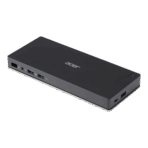
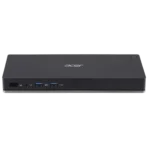
The following technical details are based on the typical features of the various Acer USB-C docking station models available on the market. The exact ports and features can vary depending on the specific model (e.g., D301, D501, Dock II).
General
-
-
- Host Interface: USB-C (DisplayPort Alt-Mode, Power Delivery, data transfer)
- Video Interfaces: HDMI, DisplayPort, and in some models, also VGA
- Supported Monitors: Depending on the model and laptop specs, up to two or three external monitors can be connected, with resolutions up to 4K at 60 Hz or 4K at 30 Hz on dual or triple monitor setups.
- Power Delivery: Up to 60W or 100W PD, depending on the model, to charge the connected laptop.
- Additional Features: Kensington security slot, Wake-on-LAN (WoL), MAC Address Pass-Through.
Ports
-
- USB Ports:
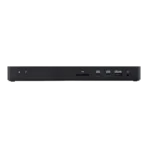
- USB-A: 2 to 4 ports (mostly USB 3.0/3.1 Gen 1)
- USB-C: 1 to 2 ports (one for Power Delivery, others for data transfer)
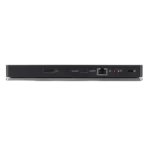
- Memory Cards: SD and Micro-SD card readers
- Audio: 3.5mm combo audio jack
- Network: RJ45 Gigabit Ethernet port
Description
Acer USB-C docking stations are designed for users looking for a convenient and powerful solution to expand their laptop. Instead of dealing with multiple cables for power, video, and peripherals, the dock enables a “one-cable solution” through the USB-C port. This simplifies workspace setup and makes it easy to quickly disconnect the laptop when you’re on the go.
Efficient Multitasking with Multiple Displays
One of the primary features of these docks is their ability to connect multiple external monitors. Depending on the model, users can connect two 4K monitors or even three 1080p monitors, which is ideal for demanding tasks like video editing, software development, or financial analysis. The support for DisplayPort Alt-Mode ensures that high-resolution video and audio signals are transmitted without compromise.
A Central Solution for All Devices
Beyond just video ports, Acer USB-C docks provide a variety of USB ports, card readers, and an Ethernet port. This allows users to connect devices like external hard drives, keyboards, mice, and even wired internet while simultaneously charging the laptop, all from a single point. This not only reduces cable clutter on the desk but also ensures that your most important devices are always ready to go when you connect your laptop to the dock.
Design and Compatibility
Acer’s docks often feature a sleek, space-saving design that blends well into professional work environments. Many models are oriented vertically to maximize desk space. Their universal compatibility with laptops from Acer as well as other brands like Dell, HP, and Apple (MacBook) makes them a flexible and future-proof investment.